How to Install Corteno Player Pro on Fire TV Stick (Downloader Code 1448164)
Corteno Player Pro is a media player for your own M3U and Xtream Codes playlists. It isn't in the Amazon Appstore, but installing it on a Fire TV Stick takes about two minutes with the free Downloader app and the code 1448164.
This guide works on every Fire TV device: Fire TV Stick Lite, Fire TV Stick (3rd gen), Fire TV Stick 4K, Fire TV Stick 4K Max, Fire TV Cube and Fire TV smart TVs.
Good to know: Corteno Player Pro is a media player only. It doesn't include, sell or host any channels, playlists or other content. You add your own playlist from a provider you're allowed to use.
Watch the 2-minute video

Prefer to read? Follow the steps below. Each one matches a moment in the video.
Before you start
You need:
- A Fire TV device connected to the internet (Wi-Fi or Ethernet).
- About 15 MB of free storage. The app itself is only 3.5 MB.
- Your own playlist: an M3U link, an M3U file, or an Xtream Codes login (server, username, password). Not sure where to find your details? Read How to find your MAC address and Device Key
You don't need an account, an email address or a payment card. The 7-day free trial starts automatically the first time you open the app.
Step 1 — Install the Downloader app
Downloader is a free app made by AFTVnews. It's in the official Amazon Appstore, and it's the standard way to install apps that aren't in the store.
- On the Fire TV home screen, go to Find (the magnifying glass) and choose Search.
- Type Downloader and select the app with the orange icon.
- Press Get (or Download) and wait for it to install.
Step 2 — Allow Downloader to install apps
For safety, Fire TV only installs apps from the Appstore by default. You need to allow Downloader (and only Downloader) to install apps.
- Open Settings (the gear icon on the right of the home screen).
- Go to My Fire TV → Developer options.
- Select Install unknown apps.
- Find Downloader and switch it ON.
On older Fire OS versions this option is called Apps from Unknown Sources. Turn it ON and confirm.
Don't see "Developer options"?
Amazon hides this menu on newer Fire TV models. To unlock it:
- Go to Settings → My Fire TV → About.
- Highlight the first line (your device name, for example Fire TV Stick 4K Max).
- Press the select button on your remote 7 times. A message says "No need, you are already a developer" or "You are now a developer".
- Press Back. Developer options now appears under My Fire TV.
Step 3 — Enter the code 1448164
- Open Downloader. If it asks for permission to access files, choose Allow.
- Click the address box on the Home tab.
- Type the code 1448164 and press Go.
Downloader turns the code into the official link and starts downloading Corteno Player Pro straight from cortenoplayerpro.com.
Code not working? Type the address instead: cortenoplayerpro.com/download. It gives you the same file.
Step 4 — Install and open Corteno Player Pro
- When the download finishes, the Android install screen opens. Choose Install.
- When it says App installed, choose Open. Or choose Done if you want to clean up first (see the tip below).
Tip: free up space. After choosing Done, Downloader offers to Delete the installer file. You don't need it anymore, so delete it to save storage.
Step 5 — Add your playlist
When you open Corteno Player Pro for the first time, you see the playlist screen. It shows:
- your device's MAC address,
- a 6-digit Device Key,
- a QR code.
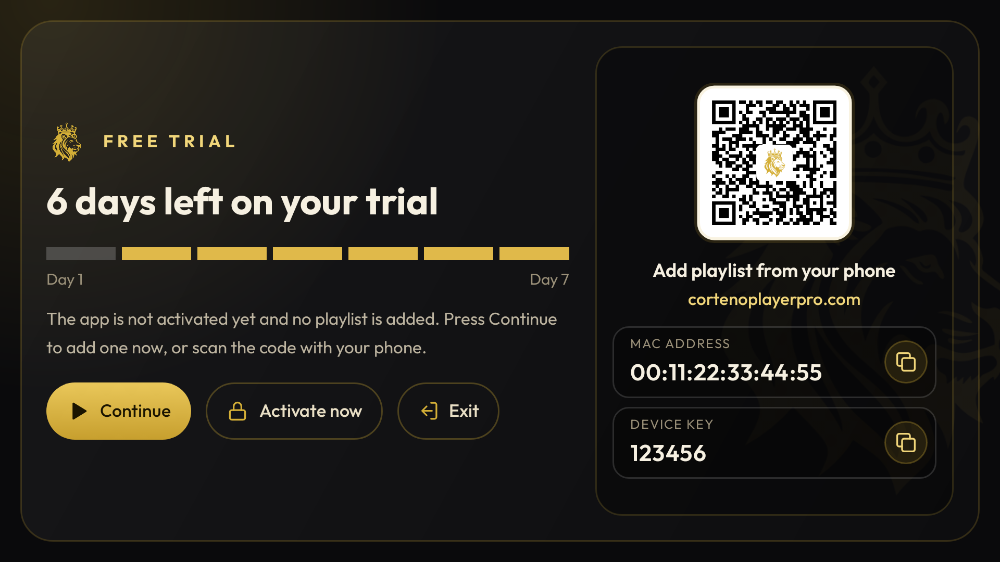
(The values in our screenshots are demo values.)
You can add your playlist in two ways.
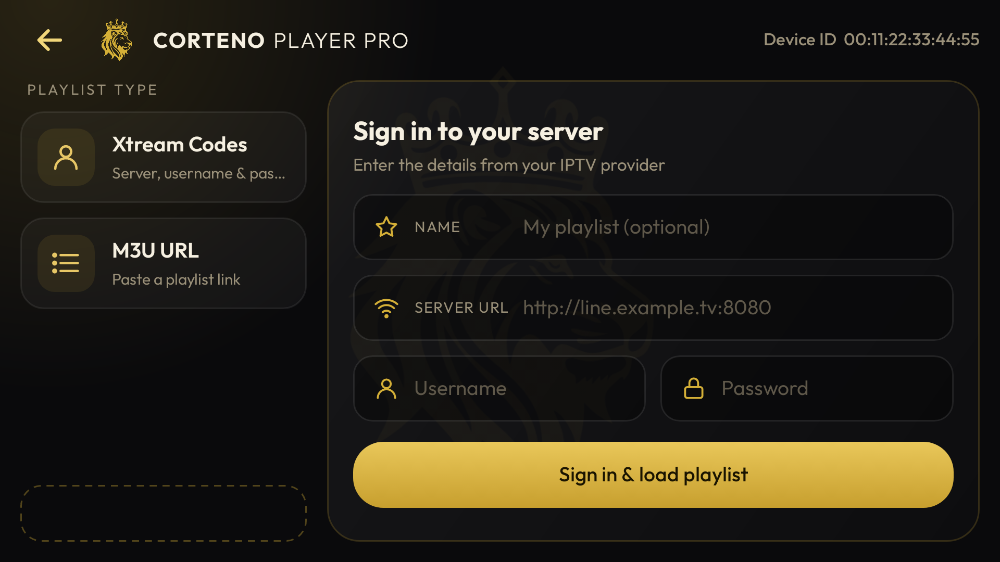
Option A — Right on the TV. Choose M3U link or Xtream Codes, then type your details with the remote.
Option B — From your phone or computer (easier). Scan the QR code, or go to cortenoplayerpro.com/manage and log in with your MAC address and Device Key. Add your playlist there. Pasting a long link is much easier on a phone than with a TV remote. Back on the TV, press Reload. Your playlist appears in seconds.
You can add up to 20 playlists per device. You can also protect a playlist with a PIN, so its link is hidden on the website and nobody can change it without the PIN.
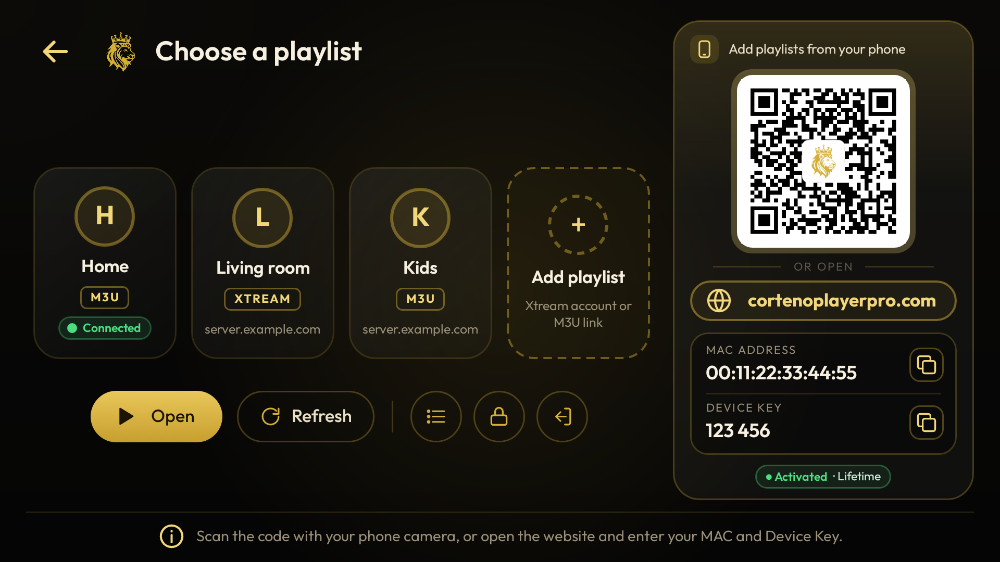
Need help finding these details later? See How to find your MAC address and Device Key.
Step 6 (optional) — Put the app on your home screen
New apps land at the end of Your Apps & Channels. To move Corteno Player Pro to the front:
- Press and hold the Home button, then choose Apps.
- Highlight Corteno Player Pro and press the Menu button (☰).
- Choose Move to front (or Move) and place it where you like.
Free trial and activation
- Free trial: 7 days from the first launch, with every feature unlocked. Reinstalling the app doesn't restart the trial.
- Activation: one payment per device. 5.99 € for 1 year or 14.99 € Lifetime. Go to the Activation page, enter your MAC address, pick a plan and pay by card. Then press Reload in the app. You don't need to reinstall, and your playlists stay as they are.
What you get
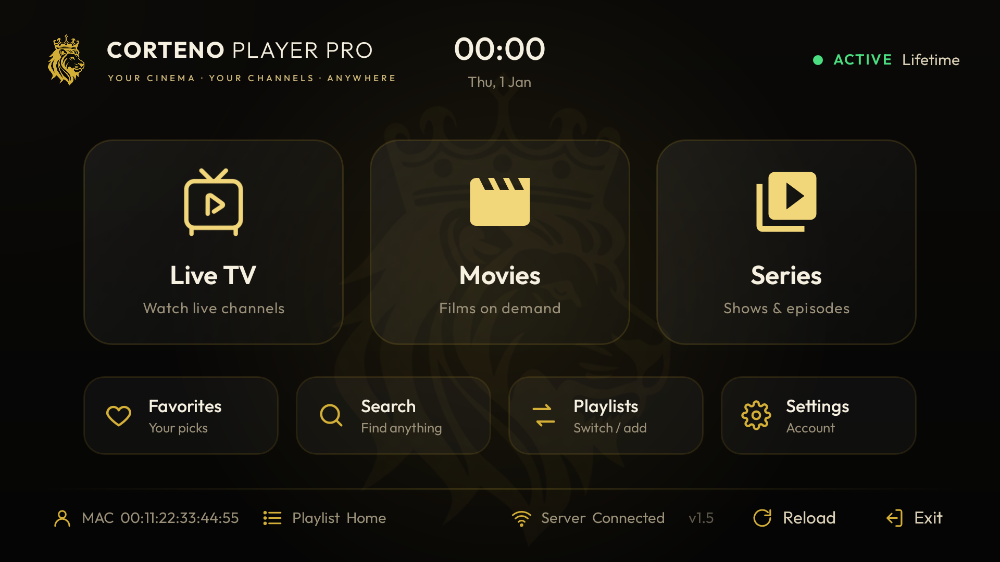
- Live TV with a programme guide (EPG) when your provider supplies one, plus catch-up on channels that support it
- Movies and series with posters and seasons, and Continue watching / Resume
- Favourites, global search, recently watched
- Subtitle and audio-track selection
- Parental PIN for adult (18+) groups
- Automatic reconnection when the stream drops
- App in English, French, Arabic, German and Spanish
Troubleshooting
"The code doesn't do anything" or "URL not found" Check your internet connection, then type cortenoplayerpro.com/download instead of the code.
"App not installed" Usually not enough storage. Go to Settings → Applications → Manage Installed Applications, clear the cache of large apps or uninstall ones you don't use, and try again.
Downloader says it isn't allowed to install apps Go back to Step 2 and make sure Downloader is switched on under Install unknown apps.
The playlist doesn't load Your playlist details may have a typo, or the link may have expired. Follow our checklist: M3U playlist not working? 12 fixes.
Playback stutters See IPTV buffering and freezing: how to fix it. Most of the time it's Wi-Fi signal or the provider's server.
FAQ
What is the Downloader code for Corteno Player Pro?
1448164. Type it in the Downloader app's address box and press Go. You can also type cortenoplayerpro.com/download.
Does Corteno Player Pro work on Fire TV Stick Lite?
Yes. It runs on every Fire TV device with Fire OS 5 or later, including the Lite, 3rd gen, 4K, 4K Max, Cube and Fire TV smart TVs.
Is Corteno Player Pro free?
You get a 7-day free trial with every feature unlocked. After that, it's 5.99 € for 1 year or 14.99 € Lifetime per device, paid once, with no automatic renewal.
Does Corteno Player Pro include channels?
No. It's a media player only. It plays playlists that you add yourself, and it doesn't provide, sell or recommend any content.
How do I update the app?
Open Downloader, enter 1448164 again, and install over the current version. Your playlists, favourites and activation stay.
Is it safe to allow "Install unknown apps"?
You're only giving that permission to Downloader. Only install files from sources you trust, like the official cortenoplayerpro.com link. You can switch the option off again after installing.
Ready? Open Downloader, type 1448164, and you're watching in two minutes. Download Corteno Player Pro →
Installing on another device? See our guide for every device: Android TV, Google TV, Android phones and Windows.

Player only. Corteno Player Pro provides no channels, playlists or other content. Add your own playlist from a provider you are allowed to use.